
Download Easylist – AI‑Powered Property Management Software for UK Landlords
In today’s fast‑moving rental market, UK landlords and letting agents need tools that are both powerful and effortless. Easylist answers that call with an AI‑driven inventory platform that turns a traditionally labor‑intensive inspection into a quick, accurate, and fully compliant digital experience. Whether you manage a single house or a portfolio of dozens of units, the solution is built to scale, stay secure, and keep you ahead of the competition. Read on for a deep dive into what makes Easylist a standout choice, how to get started, and why it could become the backbone of your property‑management workflow.
Overview
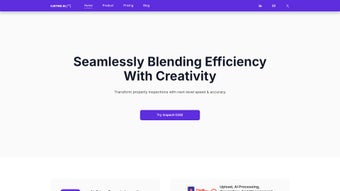
Easylist is a cloud‑native, AI‑enhanced property inventory system designed specifically for the United Kingdom’s rental sector. The platform leverages computer‑vision algorithms to automatically recognise furniture, appliances, fixtures, and structural elements during on‑site inspections. As each item is captured, the system creates a detailed, legally‑sound condition note, complete with timestamps, GPS coordinates, and high‑resolution photos.
All data is stored in an EU‑based, GDPR‑compliant cloud environment, ensuring that landlords, agents, and tenants can access reports from any device while maintaining strict data‑privacy standards. The AI model is continuously refined through monthly updates, keeping detection accuracy above 95 % and expanding the library of recognizable objects to cover the diverse range of UK property interiors. Easylist’s subscription model is tiered, allowing users to pay only for the volume of inspections they need, with options ranging from a free 14‑day trial to enterprise‑level plans that include custom branding and dedicated support.
By automating the most tedious parts of inventory creation, Easylist not only saves time but also reduces the risk of human error that can lead to costly disputes at the end of a tenancy. Its intuitive web interface works across browsers, making it a flexible solution for Windows, macOS, iOS, and Android users alike, while the secure cloud architecture guarantees that every report is backed up and version‑controlled for future reference.
Key Features, Benefits, and What Sets Easylist Apart
- AI‑Driven Object Recognition: Real‑time detection of furniture, appliances, and structural elements reduces manual entry and eliminates common tagging mistakes.
- Automated Condition Descriptions: Generates natural‑language notes that meet UK legal standards, ensuring consistency across all reports.
- Customisable Report Templates: Choose landlord‑focused, tenant‑focused, or hybrid layouts; add your own branding, signatures, and digital stamps.
- Live Collaboration: Multiple users can edit the same inventory simultaneously, with instant syncing across devices.
- Secure Cloud Storage & Versioning: Encrypted EU‑based storage with a complete audit trail for every change made.
- Flexible Subscription Plans: Pay‑as‑you‑go, monthly, or annual options that scale from a single‑property landlord to large letting agencies.
- Integrated E‑Signature & Payment Links: Tenants can sign reports and pay deposits directly within the platform, streamlining hand‑over processes.
- Multi‑Language Support: English and Welsh language packs ensure accessibility across the United Kingdom.
- Continuous AI Improvements: Monthly model updates increase detection accuracy and expand the object library.
- Multiple Export Formats: PDF, DOCX, and CSV options for offline archiving or integration with existing property‑management software.
Benefits and Competitive Edge
By automating the inventory workflow, Easylist cuts the average inspection time by up to 80 %, turning a task that once took two to three hours into a 20‑ to 30‑minute process. The AI’s high accuracy reduces the likelihood of disputes over missing or damaged items, which in turn protects landlords from costly legal claims. The platform’s cloud‑first architecture means there are no bulky installations or legacy software updates to manage; every improvement is delivered automatically, keeping the tool future‑proof. Additionally, the secure, GDPR‑compliant environment reassures both landlords and tenants that personal data is handled responsibly. For agencies, the real‑time collaboration feature enables teams spread across multiple locations to work together seamlessly, while the integrated e‑signature and payment capabilities remove the need for third‑party tools, consolidating the entire hand‑over process within a single, user‑friendly dashboard.
Pros
- Massive time savings and increased efficiency.
- High AI detection accuracy reduces human error.
- GDPR‑compliant, encrypted cloud storage with automatic backups.
- Scalable pricing fits both small landlords and large agencies.
- Built‑in e‑signature and payment features streamline hand‑over.
- Continuous AI updates keep the platform ahead of industry standards.
Cons
- Requires a stable internet connection; offline mode is limited.
- Initial learning curve for users new to AI‑assisted tools.
- Advanced AI features and custom branding are reserved for higher‑tier plans.
- Some legacy property‑management systems may need custom integration.
Getting Started, Compatibility, and Frequently Asked Questions
Installation & Usage Instructions
Because Easylist is a web‑based application, there is no traditional download or installer. To begin, visit www.easylist.co.uk and click the Sign Up button. The registration process asks for an email address, a secure password, and basic company details for billing. After confirming your email, you’ll land on the dashboard where you can select a subscription tier that matches your inspection volume.
Preparing for an Inspection: Click New Inspection, enter the property address, and select a report template. You may optionally upload a floor‑plan PDF to help the AI place detected objects in the correct rooms. Invite colleagues or contractors via the Collaborators tab, granting them appropriate permissions.
Conducting the AI‑Assisted Walk‑Through: Open the Easylist web app on a tablet, laptop, or smartphone and enable camera access. As you move through each room, the AI scans the scene and automatically adds icons for recognised items. Tap an icon to edit condition notes, attach additional photos, or flag issues. If the AI misses an object, use the Add Item button to manually enter details; the system learns from these corrections over time.
Finalising the Report: When the walk‑through is complete, click Generate Report. The platform compiles a polished PDF that includes a cover page, room‑by‑room tables, and a summary of condition grades. You can instantly email the report to tenants, request an e‑signature, or export the file in PDF, DOCX, or CSV format for archival or integration with other software. Most standard two‑bedroom flats can be fully documented in under 30 minutes, a dramatic improvement over manual methods.
Compatibility
Easylist runs on any modern web browser—Chrome, Edge, Firefox, or Safari—and is fully responsive on Windows 10/11, macOS, iOS, and Android devices. Because the AI processing occurs server‑side, even low‑spec tablets can perform detections smoothly as long as they maintain a stable internet connection.
Frequently Asked Questions (FAQ)
How does Easylist ensure data security and GDPR compliance?
All data is encrypted in transit (TLS 1.3) and at rest (AES‑256). Servers reside in EU‑based data centres, and Easylist provides a Data Processing Addendum to help landlords meet GDPR obligations.
Can I use Easylist on multiple devices at the same time?
Yes. The cloud‑native architecture allows unlimited authorized users to log in from desktops, tablets, or smartphones, with real‑time synchronization across all sessions.
Is there a free trial or demo version available?
Easylist offers a 14‑day free trial with full access to all features. No credit‑card information is required; simply sign up and start creating inventories immediately.
What happens if the AI fails to recognise an item?
Users can manually add items using the Add Item button. The AI model also learns from these manual corrections, improving detection accuracy for future inspections.
How are subscription fees billed and can I cancel at any time?
Subscriptions are billed monthly or annually, depending on the chosen plan. Users can cancel via the account dashboard with no early‑termination penalties; access remains until the end of the paid period.
Conclusion & Call to Action
Easylist is redefining property inventory management for UK landlords by marrying cutting‑edge AI with a simple, secure web interface. The platform slashes inspection time, reduces disputes, and keeps every report safely stored in a GDPR‑compliant cloud. Its flexible pricing means you only pay for what you need, while continuous AI updates guarantee you stay ahead of industry standards. If you’re ready to modernise your inspection process, cut operational costs, and deliver a more transparent experience to tenants, now is the perfect moment to give Easylist a try. Start your free 14‑day trial today and see how effortless inventory management can be.



.png)



